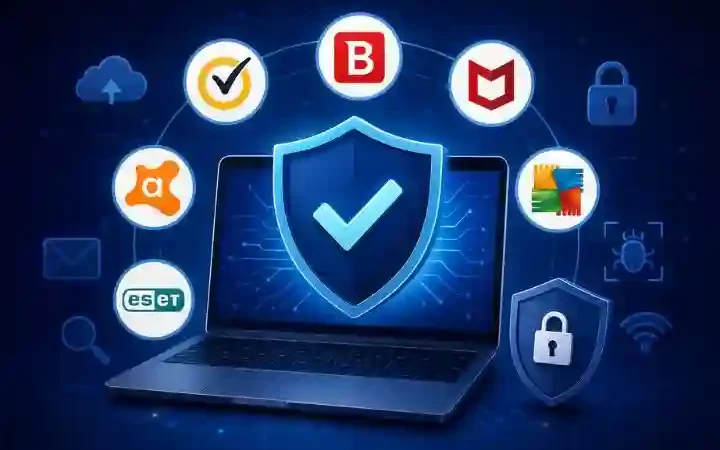
Best Antivirus Software for Windows (2026): Top Picks to Protect Your PC
Windows remains the world’s most popular desktop operating system, making it a frequent target for cybercriminals. Malware, ransomware, phishing attacks, spyware, and identity theft continue to evolve, making built-in protection alone insufficient for many users.
The best antivirus software for Windows offers real-time malware detection, ransomware protection, phishing prevention, firewall security, VPN services, password management, and performance optimization.
In this guide, we’ll compare the leading antivirus software available for Windows, helping you choose the right solution based on your budget and security needs.
Table of Contents
Why Do You Need Antivirus Software for Windows?
Although Microsoft Defender provides decent protection, many premium antivirus programs offer stronger malware detection, advanced web protection, password management, identity monitoring, VPN access, and dedicated customer support.
Benefits include:
- Real-time malware protection
- Ransomware defense
- Safe online banking
- Phishing detection
- Privacy protection
- Firewall security
- Password management
- Device optimization
How We Selected the Best Antivirus Software
We evaluated each antivirus based on:
- Malware detection rates
- Independent lab testing
- Real-time protection
- Performance impact
- Ease of use
- Extra security features
- Customer support
- Pricing
- Value for money
Best Antivirus Software for Windows (Quick Comparison)
| Antivirus | Best For | Free Version | VPN | Password Manager |
| Bitdefender | Overall Protection | Limited | Yes | Yes |
| Norton 360 | Premium Security | No | Yes | Yes |
| McAfee | Families | No | Yes | Yes |
| ESET | Advanced Users | No | No | No |
| Avast One | Free Protection | Yes | Yes | Yes |
| AVG Internet Security | Home Users | Yes | No | No |
| Malwarebytes | Malware Removal | Yes | No | No |
| Kaspersky Standard | Security Features | No | Yes | Yes |
1. Bitdefender Antivirus Plus
Bitdefender consistently ranks among the highest-rated antivirus solutions.
Features
- Real-time malware protection
- Multi-layer ransomware defense
- Web attack prevention
- Anti-phishing
- Secure browser
- VPN (limited)
- Password manager
Pros
- Excellent malware detection
- Lightweight
- Fast scans
- Easy interface
Cons
- VPN data limit on basic plans
Best for:
Users looking for complete protection without slowing down their PC.
2. Norton 360 Deluxe
Norton combines antivirus protection with privacy and identity features.
Features
- Antivirus
- Smart firewall
- Unlimited VPN
- Dark web monitoring
- Password manager
- Cloud backup
- Webcam protection
Pros
- Excellent security
- Unlimited VPN
- Strong ransomware defense
Cons
- Higher price
Best for:
Users wanting an all-in-one security suite.
3. McAfee Total Protection
McAfee offers strong protection for multiple devices.
Features
- Real-time antivirus
- Firewall
- VPN
- Identity monitoring
- File shredder
- Password manager
Pros
- Multi-device support
- Good malware protection
- User-friendly
Cons
- Can use more system resources during scans
4. ESET NOD32 Antivirus
ESET is popular among experienced users because of its advanced configuration options.
Features
- Exploit blocker
- UEFI scanner
- Anti-phishing
- Ransomware shield
- Script protection
Pros
- Lightweight
- Excellent detection
- Highly customizable
Cons
- Fewer extra features
5. Avast One
Avast provides a capable free antivirus alongside premium plans.
Features
- Virus protection
- Smart scans
- VPN
- Email protection
- Firewall
- Data breach monitoring
Pros
- Good free version
- Easy to use
Cons
- Some advanced features require a paid plan
6. AVG Internet Security
AVG shares the same malware detection engine as Avast while offering additional security tools.
Features
- Email shield
- Webcam protection
- Fake website detection
- Firewall
- Ransomware protection
Pros
- Strong malware protection
- Simple interface
Cons
- Premium features require a subscription
7. Malwarebytes Premium
Malwarebytes specializes in detecting modern threats and works well alongside other security software.
Features
- Malware removal
- Exploit protection
- Browser guard
- Ransomware protection
Pros
- Excellent malware cleanup
- Fast scans
Cons
- Fewer extra features than competitors
8. Kaspersky Standard
Kaspersky continues to offer robust security features with strong malware detection.
Features
- Antivirus
- Safe browsing
- VPN
- Password manager
- Performance optimization
Pros
- High detection rates
- Easy interface
Cons
- Availability and regulatory considerations vary by region
Features to Look for in Antivirus Software
Before choosing an antivirus solution, consider whether it includes:
- Real-time virus scanning
- Ransomware protection
- Anti-phishing tools
- Firewall
- VPN
- Password manager
- Identity theft monitoring
- Automatic updates
- Scheduled scanning
- Low system impact
Free vs Paid Antivirus Software
Free Antivirus
Advantages
- No cost
- Basic malware protection
- Suitable for casual users
Disadvantages
- Limited features
- No VPN
- Limited customer support
Paid Antivirus
Advantages
- Advanced ransomware protection
- Firewall
- Password manager
- VPN
- Identity monitoring
- Premium support
Disadvantages
- Annual subscription cost
Which Antivirus Is Best for Different Users?
| User Type | Recommended Antivirus |
| Home Users | Bitdefender |
| Families | McAfee |
| Premium Protection | Norton 360 |
| Budget Users | Avast Free |
| Power Users | ESET |
| Malware Removal | Malwarebytes |
Tips to Stay Safe on Windows
Even with antivirus software installed:
- Keep Windows updated.
- Use strong, unique passwords.
- Enable multi-factor authentication.
- Avoid downloading software from unknown websites.
- Back up important files regularly.
- Be cautious with email attachments and links.
Frequently Asked Questions
Is Microsoft Defender enough?
Microsoft Defender offers good basic protection, but premium antivirus solutions typically provide additional layers such as VPNs, password managers, ransomware protection, and identity monitoring.
Which antivirus is the lightest for Windows?
Bitdefender and ESET are widely regarded as having a low impact on system performance while maintaining strong protection.
Is free antivirus safe?
Reputable free antivirus programs can provide basic protection, but paid versions usually include more comprehensive security features.
Can I install two antivirus programs?
Running two real-time antivirus programs simultaneously is generally not recommended because they can conflict and affect system performance.
Which antivirus offers the best overall protection?
Many independent tests consistently rank Bitdefender and Norton among the top choices for comprehensive Windows protection.
Final Verdict
Choosing the best antivirus software for Windows depends on your needs and budget. If you want an excellent balance of security, performance, and ease of use, Bitdefender Antivirus Plus is a strong all-around choice. For users seeking an all-in-one security suite with features like unlimited VPN, cloud backup, and identity protection, Norton 360 Deluxe is an excellent option. Families may prefer McAfee Total Protection, while ESET NOD32 is well-suited for advanced users who want greater control over security settings. Whatever you choose, keeping your antivirus updated and following safe browsing habits will significantly reduce your risk of cyber threats.