Best Antivirus Software for Small Business
Small businesses face many of the same cybersecurity threats as larger organizations, but they often have fewer IT resources and smaller security budgets. A single infected computer can expose customer information, business documents, passwords, financial data, and other sensitive information.
Malware, ransomware, phishing attacks, malicious downloads, and compromised websites are some of the common threats businesses need to consider. Antivirus software can provide an important layer of protection by detecting and blocking malicious activity before it causes serious damage.
For small businesses, however, choosing antivirus software is not simply about finding the product with the most features. The software should be easy to install, simple to manage, compatible with the company’s devices, and affordable enough to maintain as the business grows.
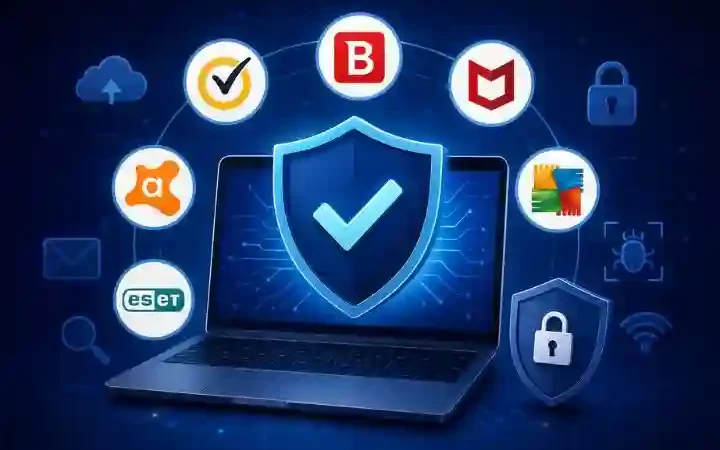
Some of the business-focused solutions worth considering include Bitdefender GravityZone, ESET PROTECT, Norton Small Business, and Avast Business. Each takes a slightly different approach to business security.
Table of Contents
What Small Businesses Should Look for in Antivirus Software
Before choosing an antivirus solution, businesses should consider more than basic virus scanning. Modern business security software can include several layers of protection and management.
Real-Time Malware Protection
Real-time protection continuously monitors files, applications, downloads, and other activity on a device. If suspicious behavior is detected, the security software can block or quarantine the threat.
This is particularly important for businesses because employees regularly download files, open email attachments, browse websites, and install applications.
Ransomware Protection
Ransomware can prevent a business from accessing important files by encrypting them and demanding payment.
A business antivirus solution should therefore include ransomware detection and protection. Some solutions also offer mechanisms designed to restore or recover files following a ransomware incident.
Phishing and Web Protection
Employees can accidentally visit fake websites or click malicious links in emails and messages. Web protection can help identify and block known malicious websites.
For example, Bitdefender GravityZone includes anti-phishing and fraud prevention designed to block known phishing websites.
Email Protection
Email remains one of the most common ways attackers attempt to reach employees. Businesses should consider protection against malicious attachments, phishing attempts, impersonation, and other email-based threats.
Some business security platforms offer dedicated email security as an additional service rather than including every email security feature in the basic antivirus package.
Centralized Device Management
Centralized management becomes increasingly important when a business has several computers.
Instead of configuring every computer individually, an administrator can use a central dashboard to monitor devices, review security events, apply policies, and identify devices that require attention.
Automatic Updates
Security threats constantly change, so antivirus software needs to remain updated. Automatic updates reduce the possibility of devices running outdated security components.
Businesses should also keep Windows, macOS, browsers, applications, and other software updated because antivirus protection alone cannot eliminate every security vulnerability.
Remote Device Protection
Many employees now work from home, travel, or use company devices outside the office.
Business antivirus software should therefore provide protection regardless of where employees are working. Centralized management can also help administrators monitor remote devices.
Low System Resource Usage
Security software needs to run continuously, but it should not significantly interfere with normal business activities.
Small businesses should consider how antivirus software affects startup times, application performance, file scanning, and everyday workloads.
Customer Support
When a business computer becomes infected, waiting days for help may not be practical.
Before purchasing a solution, businesses should check what type of technical support is included and whether additional support options are available.
Scalability
A company may start with five employees and eventually grow to 20, 50, or more.
Choosing software that allows additional devices to be added easily can prevent the company from having to replace its security solution when it expands.
Best Antivirus Software for Small Business
Bitdefender GravityZone
Best for overall business protection
Bitdefender GravityZone Small Business Security is designed specifically for small businesses that want business-focused endpoint protection without requiring a large security team.
The platform includes protection against threats such as ransomware, phishing, and fileless attacks. Bitdefender also provides a centralized console for managing security across protected endpoints.
Main Security Features
GravityZone Small Business Security includes multiple layers of protection, including malware detection, behavioral analysis, machine learning, ransomware mitigation, anti-phishing, and exploit protection.
Its ransomware mitigation feature is designed to detect abnormal encryption activity and can restore affected files from backup copies in supported scenarios.
The platform also includes fileless attack protection designed to detect threats involving malicious PowerShell commands and memory-based attacks.
Management Capabilities
One of GravityZone’s major advantages for small businesses is centralized management.
Businesses can use the GravityZone console to monitor and manage security rather than handling each protected device separately. Bitdefender describes the platform as an integrated console designed to simplify management without requiring additional servers or extensive security expertise.
Ease of Use
GravityZone is positioned toward businesses that want enterprise-style security capabilities while keeping deployment and management relatively straightforward.
This makes it particularly attractive for organizations that have some IT responsibility but do not have a dedicated cybersecurity department.
Pricing Considerations
Pricing depends on the number of endpoints and the selected subscription. Bitdefender’s Small Business Security offering supports between one and 100 devices, with pricing based on the number of protected endpoints.
Businesses should check the current price directly because subscription pricing and available packages can change.
Ideal Business Type
Bitdefender GravityZone is a strong option for a small business that wants centralized endpoint management, ransomware protection, phishing protection, and room to expand.
ESET PROTECT
Best for lightweight business protection and centralized management
ESET PROTECT is designed to help businesses manage endpoint security through a unified management platform.
ESET provides endpoint protection for businesses and supports centralized management through its cloud-based or on-premises ESET PROTECT console.
Security Features
ESET’s business endpoint protection includes defenses against malware and advanced threats, along with features designed to detect fileless attacks and protect against ransomware.
Its ransomware protection includes an additional layer that evaluates applications based on behavior and reputation. ESET also offers ransomware remediation capabilities on supported subscription tiers.
Centralized Management
Businesses can manage ESET endpoints through the ESET PROTECT console. This can be particularly useful for organizations with multiple computers and employees working from different locations.
Centralized management allows administrators to gain visibility into protected endpoints instead of relying entirely on individual users to manage security.
Performance
ESET has traditionally positioned its endpoint products around efficient operation, which can be useful for businesses that want security software running continuously without unnecessarily affecting employee productivity.
However, actual performance can vary depending on the computer’s hardware, operating system, workload, and security configuration.
Ideal Business Type
ESET PROTECT is worth considering for small businesses that want centralized endpoint management and layered protection while maintaining a relatively streamlined security environment.
Norton Small Business
Best for simple business security
Norton Small Business is designed for smaller organizations that want straightforward cybersecurity protection without needing extensive IT expertise.
Norton states that its Small Business product provides protection for business devices and includes features such as real-time antivirus, firewall protection, cloud backup, password management, and software updating.
Protection Features
The product provides real-time device security and protection against various online threats. Norton also offers cloud backup for business-critical files on its Small Business plans.
Cloud backup can be particularly useful when dealing with scenarios such as ransomware, hardware failure, or stolen computers.
Device Management
Norton Small Business supports multiple types of devices, including Windows PCs, Macs, Android devices, and iOS devices, depending on the plan and supported configuration.
Businesses should verify the current device limits and supported platforms before purchasing.
Ease of Setup
Norton emphasizes ease of installation and use, making it suitable for businesses that do not have dedicated IT security staff.
The product is designed to operate in the background so employees can continue working without having to constantly interact with security software.
Ideal Business Type
Norton Small Business can be a practical choice for smaller teams that prioritize simplicity and want antivirus protection combined with additional features such as cloud backup and password management.
Avast Business
Best for flexible business protection
Avast Business offers business-focused endpoint security products designed for organizations ranging from small offices to larger businesses.
Its business offerings include endpoint protection, ransomware and data protection, phishing protection, and online management capabilities.
Security Features
Avast Business products provide protection against malware and other threats, with different plans offering different levels of security.
Depending on the product and subscription, businesses can get features such as ransomware protection, phishing protection, endpoint protection, and additional security capabilities
Management Dashboard
Centralized management is one of the useful features for businesses with multiple devices.
Avast Business Managed Antivirus allows administrators to remotely deploy antivirus software and manage protected devices through a centralized dashboard. It also provides reporting about threats, devices, and security status.
Device Coverage
Avast Business provides products designed for organizations managing anywhere from a small number of devices to larger deployments. Its current business product lineup supports Windows, Mac, and Windows Server on applicable products.
Ideal Business Type
Avast Business can be a good option for small organizations that want centralized management and flexibility when selecting different levels of business security.
Antivirus Comparison for Small Businesses
| Software | Best For | Malware Protection | Ransomware Protection | Centralized Management | Ease of Use | Scalability | Pricing |
| Bitdefender GravityZone | Overall business protection | Yes | Yes | Yes | High | High | Subscription-based |
| ESET PROTECT | Lightweight business protection | Yes | Yes | Yes | High | High | Subscription-based |
| Norton Small Business | Simple business security | Yes | Yes | Business-focused features | High | Moderate | Subscription-based |
| Avast Business | Flexible business protection | Yes | Yes | Yes | High | High | Subscription-based |
Note: Exact features, device limits, and prices depend on the specific product and subscription tier. Businesses should verify the current plan details before purchasing.
How to Choose the Best Antivirus for a Small Business
There is no single antivirus product that is perfect for every small business. The right choice depends on the company’s size, devices, employees, budget, and security requirements.
Number of Employees and Devices
Start by determining how many devices need protection.
Include employee laptops, desktop computers, servers, and other supported business devices where applicable.
A company with five computers may have very different requirements from a business with 50 endpoints.
Windows, macOS, and Other Operating Systems
Check whether the antivirus supports every operating system used by the business.
If employees use Windows laptops while management uses Macs and mobile devices, the security solution should ideally support the entire environment.
Remote Employees
If employees regularly work from home or travel, remote protection becomes more important.
Look for solutions that can protect devices outside the company network and provide administrators with centralized visibility.
Budget
Small businesses usually need to balance security with operating costs.
The cheapest solution is not necessarily the best choice if it lacks important business features. At the same time, paying for advanced enterprise capabilities that the company does not need may be unnecessary.
Compare the total subscription cost against the number of protected devices and included features.
Required Security Features
Make a list of the threats that matter most to the business.
For example, a company handling sensitive customer information may prioritize ransomware protection, web security, device control, and centralized management.
Another small business may mainly need straightforward malware protection and automatic updates.
Centralized Management Requirements
If only one or two computers need protection, centralized management may not be a major concern.
For larger teams, however, a centralized dashboard can save considerable administrative time.
Future Business Growth
Consider where the company expects to be in the next few years.
A scalable security platform can make it easier to add new employees and devices without changing the entire cybersecurity system.
Why Small Businesses Need Antivirus Protection
Small businesses can be attractive targets for cybercriminals because they may have valuable information but fewer cybersecurity resources than larger organizations.
Malware Attacks
Malware can include viruses, trojans, spyware, worms, and other malicious software.
An infected computer can potentially expose business files, credentials, customer information, or other sensitive data.
Ransomware
Ransomware can cause major disruption by preventing employees from accessing important files.
Even when a company has antivirus protection, regular backups remain essential because no security product can guarantee that every ransomware attack will be prevented.
Phishing
Phishing attacks attempt to trick employees into providing passwords, financial information, or other sensitive data.
Security software can help block known malicious websites and links, but employee awareness remains an important part of phishing protection.
Data Theft
Business computers may contain customer information, financial records, employee information, login credentials, and confidential documents.
Protecting these devices helps reduce the risk associated with unauthorized access.
Employee Devices
Every company device can potentially become an entry point for an attacker.
Employees may download files, install applications, use USB devices, or visit websites that expose the computer to security threats.
Remote Work Risks
Remote employees may connect to home networks, public Wi-Fi, and other networks outside the company’s direct control.
Business antivirus software can provide an additional layer of protection for these devices while they are outside the office.
Business Downtime
A serious malware infection can interrupt normal operations.
Employees may be unable to access applications, files, or business systems, potentially resulting in lost productivity and revenue.
Is Free Antivirus Enough for a Small Business?
Free antivirus software can provide basic protection, but businesses should carefully examine the terms and features before using a consumer product in a commercial environment.
The biggest difference is often not basic malware detection but business management and administration.
Difference Between Consumer Free Antivirus and Business Security
Consumer antivirus products are generally designed for individual users and personal devices.
Business security products are built around organizational requirements such as centralized management, endpoint visibility, business licensing, reporting, and administration.
For example, Avast specifically states that its free consumer antivirus products are intended for private, personal, and non-commercial use, while businesses should use its business solutions.
Missing Management Features
A free consumer product may not provide the centralized controls required to manage dozens of company computers.
Administrators may have to configure devices individually, making security management more difficult as the business grows.
Limited Business Support
Business-focused subscriptions may offer support and management features designed specifically for organizational users.
This can become important when a company experiences a security incident and needs assistance.
Why Paid Business Protection Can Be Preferable
For a small business that relies on computers for daily operations, the cost of dedicated business security can be relatively small compared with the potential cost of prolonged downtime or data loss.
A paid business solution can also provide management capabilities that consumer antivirus software may not offer.
Antivirus vs Endpoint Security for Small Businesses
Although the terms antivirus and endpoint security are sometimes used interchangeably, modern endpoint security platforms generally provide a broader range of capabilities.
Basic Antivirus
Traditional antivirus primarily focuses on detecting and blocking malicious software.
It remains an important security layer, especially for smaller environments.
Endpoint Protection
Endpoint protection can combine malware detection with additional technologies designed to address ransomware, exploits, suspicious behavior, fileless attacks, web threats, and other security risks.
For example, ESET’s business endpoint platform includes protection against fileless attacks and ransomware-related capabilities, while Bitdefender GravityZone uses multiple layers including behavioral analysis and machine learning.
Centralized Administration
Endpoint security platforms can also provide centralized administration.
This allows businesses to monitor multiple devices from one location instead of depending entirely on individual employees.
Advanced Threat Detection
Larger or more security-conscious businesses may benefit from technologies such as behavioral detection, exploit protection, threat analysis, and other advanced security capabilities.
However, not every small business needs the highest available security tier.
Which Option Makes Sense for Different Business Sizes?
A very small company with a few devices may be comfortable with straightforward business antivirus protection.
A company with multiple departments, remote workers, servers, and sensitive data may benefit more from a complete endpoint security platform.
The important consideration is matching the level of protection and management to the actual risk faced by the business.
Other Cybersecurity Measures Small Businesses Should Use
Antivirus software should be considered one part of a broader cybersecurity strategy.
Multi-Factor Authentication
Multi-factor authentication adds another verification step when employees log into important accounts.
Even if a password is compromised, MFA can make unauthorized access more difficult.
Strong Passwords
Employees should use strong, unique passwords for business accounts.
A password manager can help employees generate and securely store complex passwords.
Regular Backups
Important business data should be backed up regularly.
Backups can help a business recover after ransomware, accidental deletion, hardware failure, or other incidents.
Backups should also be protected from unauthorized access and tested regularly to make sure data can actually be restored.
Software Updates
Businesses should keep operating systems, browsers, applications, and security software updated.
Updates frequently include security fixes that address vulnerabilities attackers could otherwise exploit.
Employee Cybersecurity Training
Employees are an important part of an organization’s security.
Training should cover phishing emails, suspicious links, malicious attachments, password security, social engineering, and safe browsing practices.
Secure Wi-Fi
Business Wi-Fi should use strong security settings and a strong administrative password.
Businesses should also consider separating guest Wi-Fi from internal company devices.
Access Controls
Employees should only have access to the information and systems they actually need.
Limiting unnecessary access can reduce the potential impact if an employee account or device becomes compromised.
Frequently Asked Questions
What is the best antivirus for a small business?
The best antivirus depends on the company’s needs. Bitdefender GravityZone is a strong choice for businesses seeking centralized protection and scalability, ESET PROTECT is worth considering for businesses that want unified endpoint management, Norton Small Business focuses on straightforward protection, and Avast Business provides flexible business security and centralized management.
Do small businesses really need antivirus software?
Yes. Small businesses use computers and internet-connected devices to store information, communicate with customers, access financial accounts, and perform daily operations. Antivirus and endpoint security can provide an important layer of protection against malware and other threats.
However, antivirus should not be the company’s only cybersecurity measure. Backups, MFA, software updates, employee training, and access controls are also important.
Is free antivirus suitable for a small business?
It depends on the product’s licensing and features. Consumer free antivirus products may be intended only for personal use and may lack business management features. Businesses should choose a product whose licensing explicitly permits commercial use and whose features match their security requirements.
How many devices can business antivirus software protect?
Device limits vary by provider and subscription. Some products are designed for only a few devices, while business platforms can scale to much larger deployments.
For example, Bitdefender’s GravityZone Small Business Security currently supports between one and 100 endpoints.
Businesses should check the current licensing terms before purchasing.
Does business antivirus protect against ransomware?
Many modern business antivirus and endpoint security products include ransomware protection. Bitdefender GravityZone, ESET endpoint protection, and Avast Business all provide ransomware-related protection capabilities.
However, no antivirus product should be treated as a guarantee against every ransomware attack. Businesses should maintain secure, tested backups as an additional recovery measure.
Should a small business use antivirus or endpoint protection?
For very small businesses with basic requirements, business antivirus may be sufficient.
Companies with more devices, remote employees, sensitive data, or greater security requirements may benefit from a broader endpoint protection platform that provides centralized management and additional threat detection capabilities.
Conclusion
Choosing the best antivirus software for a small business depends on more than malware detection alone. Businesses should consider ransomware protection, phishing and web security, centralized management, device compatibility, remote protection, ease of use, customer support, and scalability.
Bitdefender GravityZone is a strong option for businesses looking for centralized, scalable protection. ESET PROTECT is worth considering for organizations that want unified endpoint management and layered protection. Norton Small Business focuses on simple business security with additional features such as cloud backup, while Avast Business provides flexible business-focused protection and centralized management.
The most important step is to choose a solution that matches the company’s actual size, budget, devices, and security risks. Antivirus should then be combined with strong passwords, multi-factor authentication, regular backups, software updates, employee training, secure Wi-Fi, and appropriate access controls.
A well-rounded approach gives small businesses a much stronger foundation for protecting their devices, data, employees, and day-to-day operations.